Pitch, power and airspeed
Lift and drag change with airspeed, angle of attack and flap position. Thrust changes with power, speed and air density. A change in power affects climb, speed and the airflow reaching the tail.
FLIGHT SIMULATOR · iPHONE
30 SECONDS IN MR FLIGHT
Engine start, takeoff, night flying and a sunset landing. Actual simulator footage with sound and music.
Actual simulator footage. Music: Clear Skies by Scott Buckley, CC BY 4.0.
THE FLYING EXPERIENCE
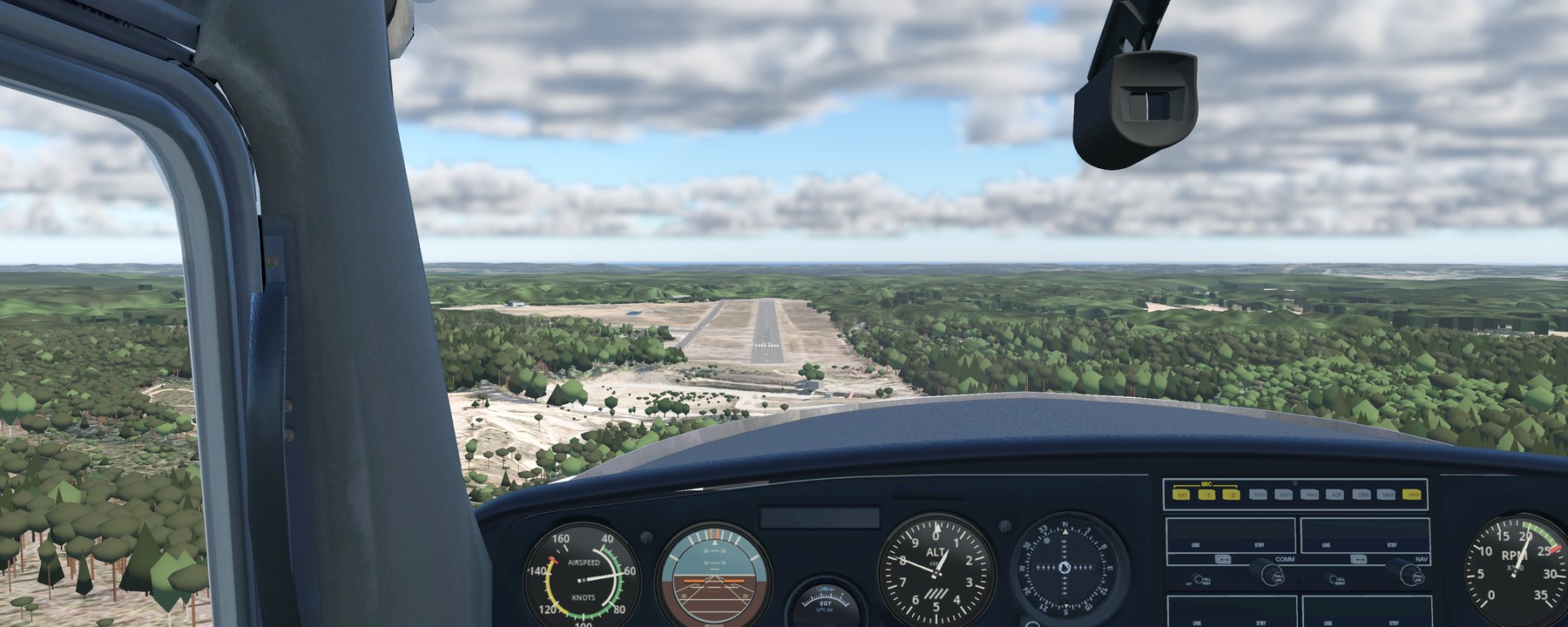
MR Flight brings the details of flying together: preparing the cockpit, starting the engine, feeling the aircraft respond to the air around it and bringing it back to the apron. The aim is a simulator that behaves and sounds as close to the real aircraft as possible.
Fly a complete session or practise a particular manoeuvre. It is built for pilots, student pilots and anyone who wants to learn how a light aircraft flies.
01 / THE FLIGHT MODEL
The Cessna 152 is currently the only aircraft in MR Flight. Its flight model is built to reproduce the aircraft’s handling as closely as possible. It calculates aerodynamic forces continuously, using the airflow at the wings and tail, the aircraft’s configuration and the engine’s output.
Lift and drag change with airspeed, angle of attack and flap position. Thrust changes with power, speed and air density. A change in power affects climb, speed and the airflow reaching the tail.
Aileron input also produces adverse yaw. Sideslip, propeller effects and airflow over the tail influence yaw and roll, so rudder coordination matters during turns, slow flight and crosswind approaches.
Elevator trim changes the aircraft’s pitch balance. Flaps move gradually and affect lift, drag and pitch, so changing the landing configuration calls for adjustments to power and controls.
Each wing can stall differently. Uneven flow separation can cause a wing to drop and the aircraft to begin rotating. Separation and reattachment develop over time, while disturbed airflow also changes the tail’s control authority.
Induced drag reduces close to the ground. This affects how the aircraft behaves just above the runway during takeoff and the landing flare.
The nosewheel and main wheels have separate ground contacts and loads. Nosewheel steering, individual wheel brakes and tyre grip determine how the aircraft turns and slows down. Touchdown transfers the load onto the landing gear.
Wind is calculated at the aircraft’s position and changes with height above the ground. Headwinds, tailwinds and crosswinds affect your ground track and the corrections needed on approach.
Gusts vary over time and distance. The wings and tail sample the airflow at different points, so a gust can affect pitch, roll and yaw as well as airspeed.
Near the ground, the model uses the surrounding forest to estimate wind shelter and disturbed air on its downwind side. These effects depend on wind direction, distance from the trees and height above them.
Sun-warmed ground can produce rising air, with sinking air around it. Surface type, sunshine and soil moisture affect the modelled thermals. The rising air changes over time and drifts with the wind.
The shape of the ground changes the local airflow. The model estimates how wind is deflected over the terrain, including upward and downward movement near slopes.
Choose the wind and weather for your session. A retry keeps the same weather sequence, so you can try an approach again in the same conditions, or choose a new gust sequence for a different flight.
The Cessna 152 is the handling target. The model has not been validated against the individual OH-CIP aircraft, and aircraft-specific spin entry and recovery remain unvalidated.
02 / COCKPIT SYSTEMS
Start with the engine off. The apron start gives you a cold and dark aircraft. Prepare the engine, set the controls and bring the cockpit to life. Fuel, ignition, electrical power and engine temperature affect starting and running.
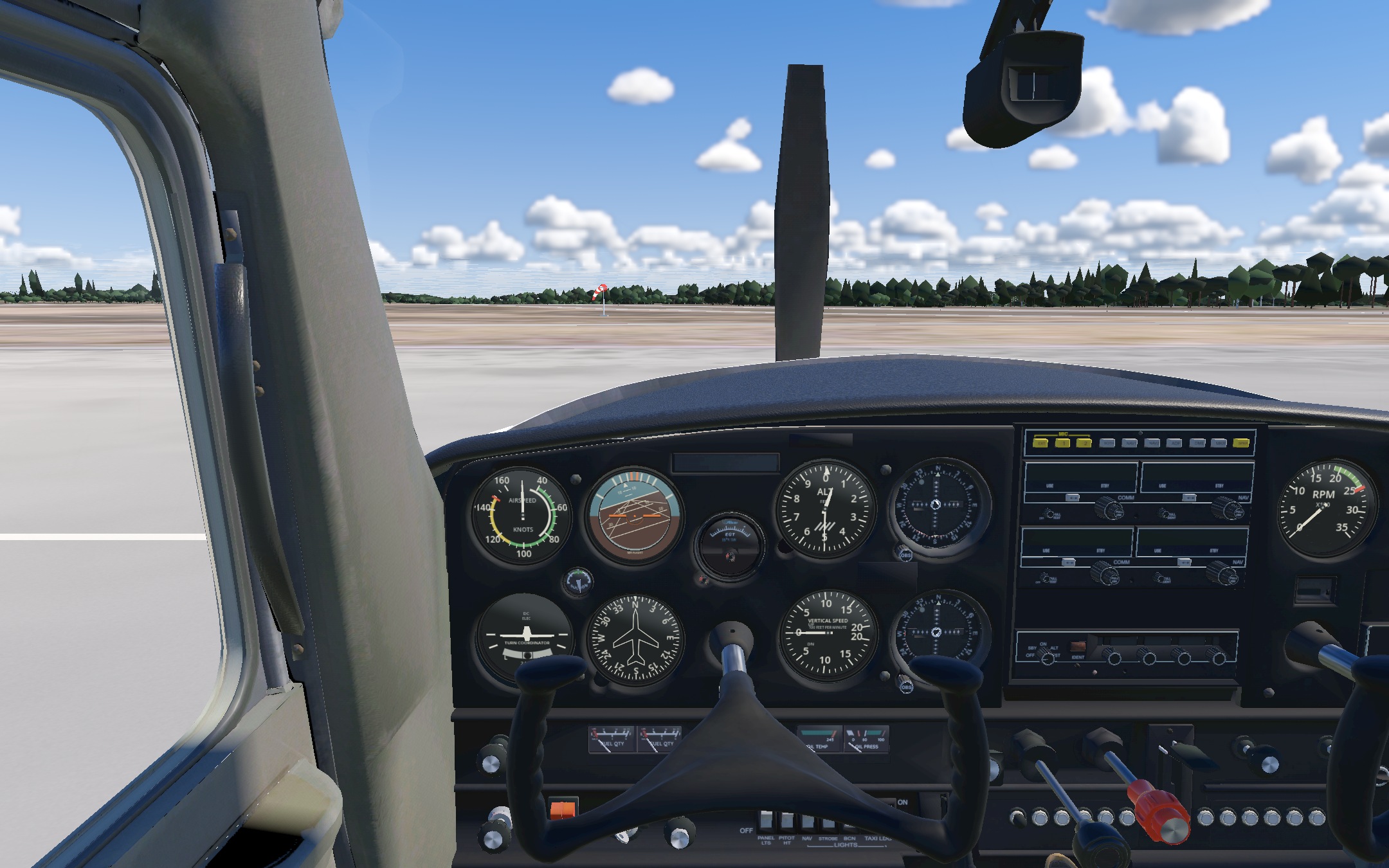
Priming changes the fuel available for starting. Mixture and ignition affect combustion, engine power and rough running.
The starter draws power from the battery. Battery charge, electrical loads and alternator output affect the electrical system as the engine starts and runs.
Oil pressure, oil temperature and vacuum respond to engine conditions. Gyro instruments depend on their power supply, so the panel reflects the state of the systems behind it. Tap an instrument for a close-up and adjust the altimeter setting with its knob.
Fuel is tracked through the tank supply and carburettor. Mixture and carburettor heat change the conditions in which the engine runs, with corresponding changes in performance.
Tune COM1 or COM2, swap active and standby frequencies and choose which radio to transmit on. Hear simulated Vesivehmaa weather on 135.250 MHz, based on your flight’s wind, temperature, dew point and QNH.
Use preset calls for taxiing, takeoff, downwind, base, final and runway vacated. In multiplayer, hear other pilots’ calls when your radio is tuned to the same frequency. Calls use recorded speech, not live microphone chat.
03 / WEATHER AND CLOUDS
Start with Clear morning or choose another weather preset directly in Flight setup. Adjust the wind, date, time and atmosphere, then fly beneath, through and above volumetric cloud layers.
Choose a clear sky, a few clouds, scattered or broken cloud cover, or an overcast layer. Cloud shape follows the selected cover.
Set the cloud base and layer thickness. Clouds occupy a volume in the world, so the view changes as you approach and fly through them.
Sunlight and sky light shape the clouds as the time of day changes, from a bright daytime sky to evening light.
Set wind direction, speed and gusts. Practise in calm air or add a crosswind to your next approach.
Set QNH, temperature and dew point in custom weather. Pressure and temperature affect air density, aircraft performance and the altimeter.
Choose your start on the map. Open the aircraft card and its Weights tab to set fuel before departure, or select Final to begin on approach.
04 / SOUND AND MOTION
The sound follows the flight. Engine speed and roughness, airflow, flap movement and contact with the ground each contribute their own cues.
Hear the starter turn and the engine catch. The engine note changes with RPM and running conditions, while wind noise responds to airspeed and sideslip.
The flap motor and airflow around the flaps have separate sounds. On the ground, surface roughness and wheel loading shape the rumble and touchdown.
Acceleration, turbulence, engine vibration and buffet move your viewpoint. Haptic feedback adds cues from aircraft loads, rough ground and impacts.
05 / FLIGHT REVIEW
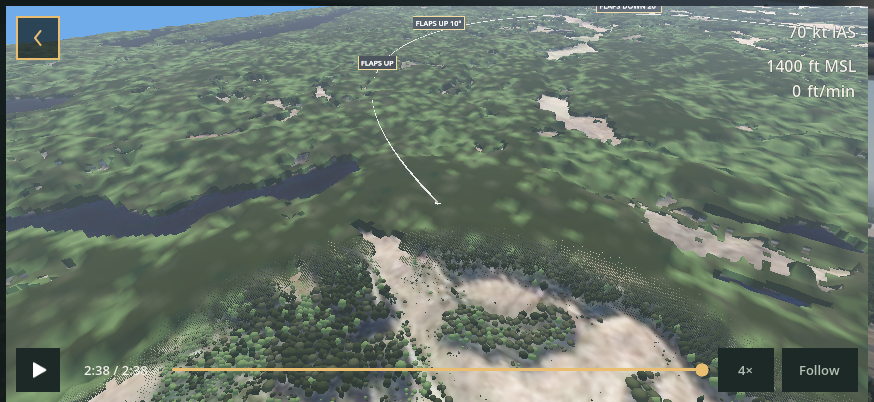
Save a session to My flights and explore it in 3D. Follow the aircraft or move the camera, pause and scrub through the flight. Open the report to compare altitude, airspeed and runway alignment.
06 / MULTIPLAYER
Online and local multiplayer are included in MR Flight 1.0.5. Fly the Cessna 152 together at Vesivehmaa, with shared flight conditions and radio calls. No account is required.
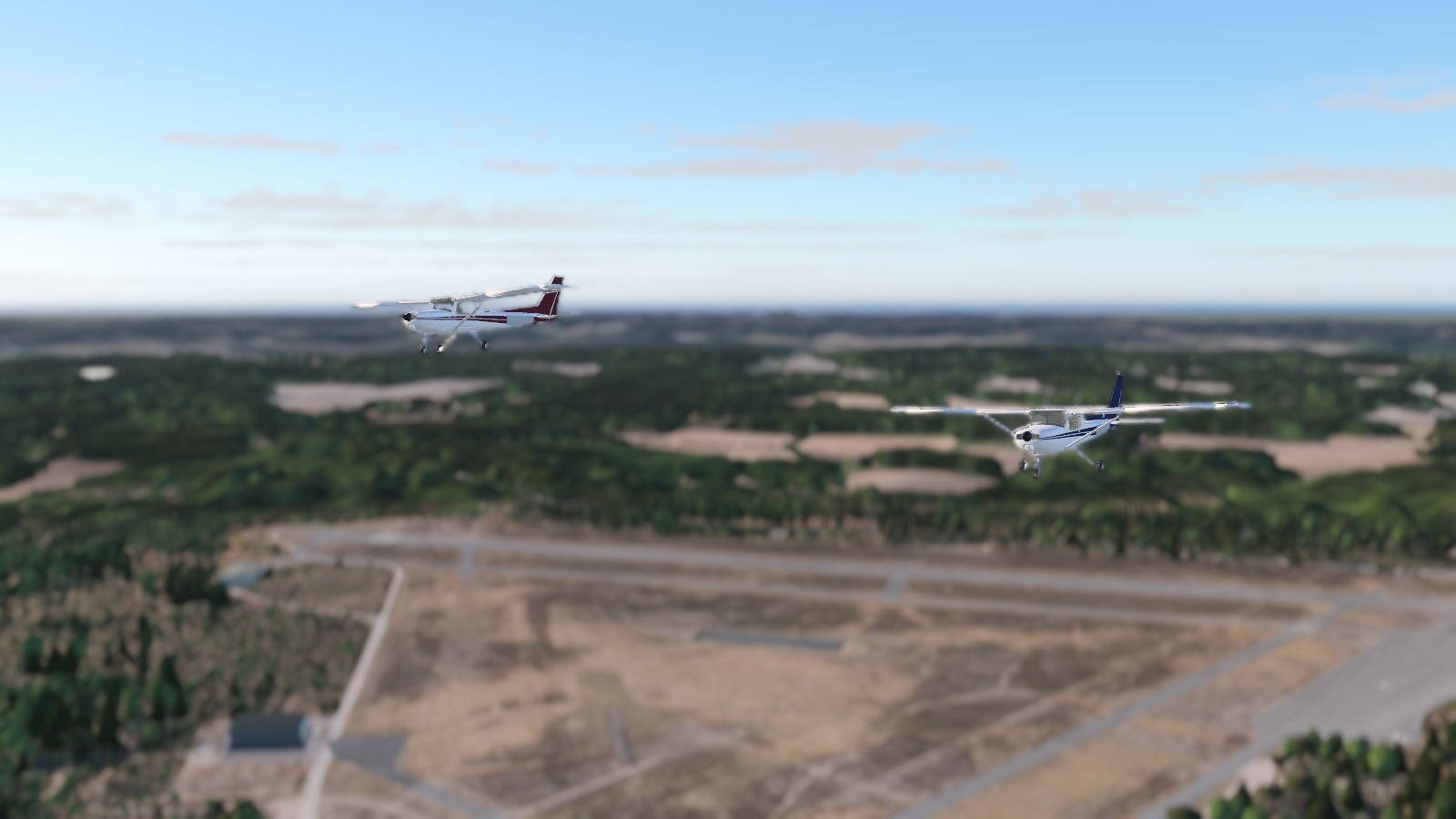
Choose your aircraft registration, join a named room or create your own. The room list shows the pilots, wind and time of day. Set up your flight before joining the other aircraft.
Flying together in the same place? Open Multiplayer and choose Local to host or join a flight on the same Wi-Fi network.
Use the radio menu to send preset position and runway calls. Your selected aircraft registration identifies your calls to the other pilots.
07 / PLANNED FEATURES
These features are planned for future versions. They are not included yet, and release dates have not been set.
Take off from water, practise water landings and explore by seaplane.
Guided lessons with instructor narration, from aircraft handling to approaches and landings. Training is not available in version 1.0.5.
Fly skydivers to jump altitude, then return to the airfield for the next load.
Extend the current ground traffic with aircraft that take off, fly circuits and land.
Explore a new flying area in Alaska.
A new aircraft to fly and get to know.
08 / VESIVEHMAA AIRFIELD
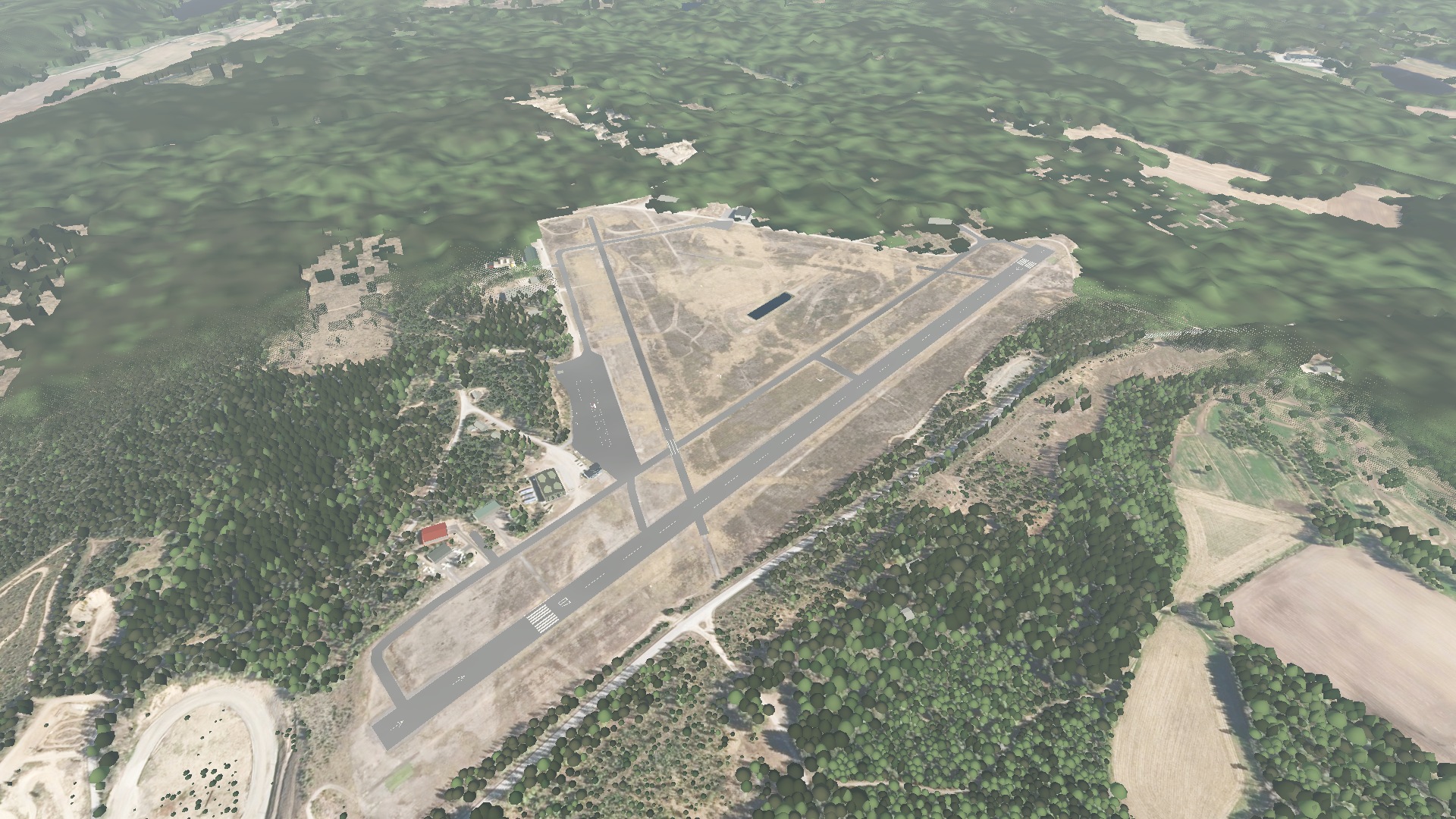
Lahti-Vesivehmaa is a general aviation airfield in southern Finland, surrounded by forest. Its two intersecting runways sit at an airfield elevation of 502 ft (153 m) above mean sea level.
07 / 25 · LONGER RUNWAY
The main asphalt runway is 1,199 m long and 30 m wide. Displaced thresholds leave 1,043 m available for landing on runway 07 and 1,139 m on runway 25.
18 / 36 · SHORTER RUNWAY
The shorter cross-runway is 550 m long and 23 m wide, with asphalt and grass surfaces. Forest beyond both ends puts trees in the approach and departure paths. The short landing distance leaves less room to correct excess speed or a long flare.
Airfield data: Fintraffic AIP (checked 26 Oct 2026); runway 18 / 36 width: Lentopaikat.fi. Simplified illustrations, not an airfield chart.
BEFORE YOU FLY
MR Flight Simulator is a flight simulator for iPhone by MERaC Oy. Fly the Cessna 152 at Vesivehmaa, Finland, with a clickable cockpit, custom weather, online and local multiplayer, and saved flights with 3D review. No account or ads.
App Store version 1.0.5 includes the Cessna 152 and Vesivehmaa (EFLA), Finland. The Alaska map, Maule M7 and Flight School are planned for future updates and are not included yet.
MR Flight is designed for iPhone in landscape orientation. It requires iOS 17 or later and an A12 Bionic chip or later. See the App Store listing for device compatibility.
Use the on-screen flight controls and swipe the outside view to look around. Throttle, mixture, trim and flaps are controlled on screen. No external controller is required.
Yes. Single Player flights at Vesivehmaa and saved-flight review work offline after installation. Online multiplayer needs an internet connection. Local multiplayer uses the same Wi-Fi network. This website, support email and feedback forms also need internet access.
Choose Single Player to open Flight setup at Vesivehmaa with the Cessna 152. Select a starting point on the map and choose a weather preset or custom conditions. Clear morning is the default. Runway starts with the engine running; Apron starts with the engine off. Tap Start flight when ready.
Yes. Open Multiplayer to join a named online room or create your own, for up to four pilots. Choose Local to host or join over the same Wi-Fi network. Online flying requires an internet connection; no account is required.
Use the Quick Guide for your first flight, or open the question mark in the pause menu for full-screen illustrated help. The apron start also offers engine-start assistance. You can choose Runway or Final to begin with the engine running.
The simulator interface and these support pages are in English.
MR Flight costs €0.99 as a one-time purchase on the App Store. Prices may vary by region. Cessna 152, Vesivehmaa, online and local multiplayer, custom weather and flight review are included. No subscription, trial or ads. Optional paid maps and aircraft are planned for future updates; they are not available to buy in this release.
No. Pilots, student pilots and newcomers are all welcome. The aircraft is designed to respond realistically, so flying it well takes practice. You can start with an approach or work through a flight from engine startup. The Quick Guide and full-screen illustrated help explain the controls.
Use the Report a bug form and briefly describe what went wrong.
Visit the Wishlist to send us your idea or vote for a listed feature. Messages are private. When several people ask for the same feature, we can publish it as a separate idea for voting.
Visit Support for first-flight help and common problems, or email markus@mrflight.app. Tell us what happened. Your iPhone model, iOS version and app version can help us work out the problem.
GET MR FLIGHT
€0.99
Available now on the App Store.
One-time purchase. Prices may vary by region. No subscription or trial.

MR Flight Simulator for iPhone
Suggest a feature or vote on ideas.
Report a bug